 Voortware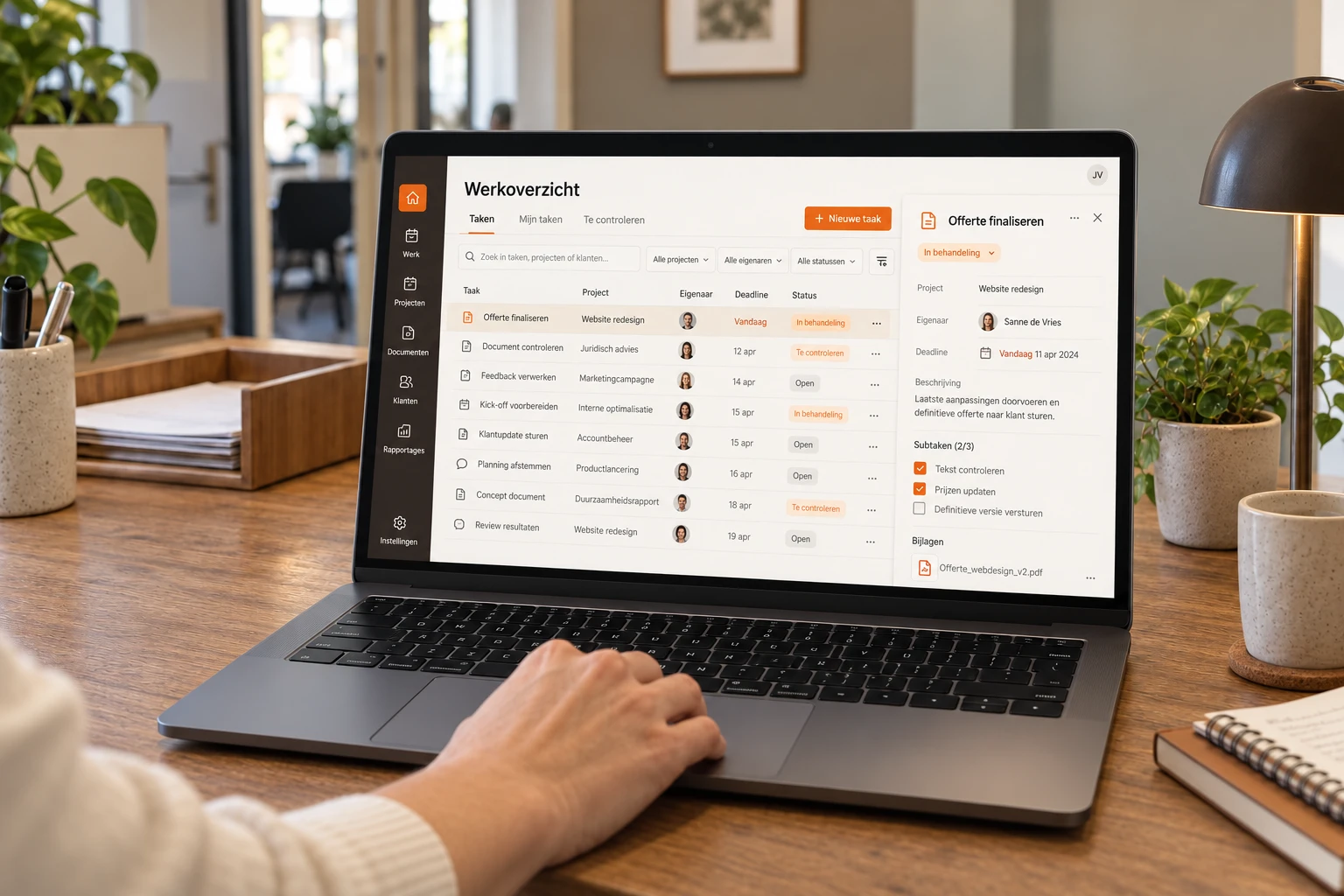
Almost every small business runs on an Excel file somewhere that started out as a handy list. The schedule, the order overview, the project administration, the stock or the complaints log. By now it has twelve tabs, colour codes only its creator understands and a file name ending in final_v3.
There's nothing wrong with that as long as it works. Excel is flexible, everyone can use it and it costs nothing extra. But there comes a point where the file creates more work than it saves. This article helps you recognise that point: the signs, what an internal tool does differently, what to map out first, how to bring the data across, and when you're better off simply keeping Excel.
What an internal tool is
An internal tool is a web application for your own team, built around one process. Input screens, overviews, statuses, permissions and a history of who did what. Not a big ERP and not a standard package with a hundred features you don't use. Often it does no more than the Excel file does now, but with structure, and with several people at the same time.
Six signs it's time
Versions get emailed around
The file is emailed, edited and emailed back. Or it's shared, but two people work in it at once and one person's changes disappear under the other's. Either way, nobody knows for sure which version is right.
Formulas break silently
Someone pastes a row in the wrong place, a reference shifts and the total is no longer right. Excel doesn't throw an error, it just keeps calculating with the wrong numbers. Errors like that are usually only discovered once something is based on them, such as an invoice or an order.
One person understands how it works
There's a macro in it nobody dares touch any more, or a structure only its creator can follow. When that colleague goes on holiday, the work stops. When that colleague leaves, you have a problem.
No permissions, no history
Anyone who can open the file can change everything. You can't see who changed what and when, and you can't undo a mistake without digging up an old version. If it contains personal data, such as client or employee details, a file that's easily copied and emailed is a GDPR risk too.
The file gets slow and awkward
Thousands of rows, filters that need setting again and again, and field staff who can't do anything on their phone with a spreadsheet twenty columns wide.
Data gets retyped
What's in the Excel file also needs to go into accounting, planning or the CRM, and someone retypes it. Or the other way round: every week exports are pasted into the file to update it.
If three or more sound familiar, the file is probably costing you more than you think. If it's just one, it's often quicker to tidy up the file and agree who may change what.
What an internal tool does differently
- One source. Everyone works in the same data, and a change is immediately visible to everyone.
- Input with rules. Required fields, picklists and checks make sure there's no text in an amount field and no order without a client.
- Permissions per role. The planner edits the schedule, the technician sees their own jobs, management sees everything.
- History. You see who changed what and when, and can roll back a mistake.
- Statuses and tasks. Work has an owner, and whoever is up next gets a notification.
- Integrations. Data goes to accounting or the CRM automatically, instead of through someone retyping it.
- Works anywhere. On the laptop in the office, and on the phone at the client's site.
An internal tool usually doesn't do more than your Excel file. It does the same, without things going wrong silently.
What to map out first
Don't start with screens or features. Start with the file and the people who use it. The Excel file is actually the best specification you have: it shows what your team needs, including every workaround they've come up with over the years.
- Which tabs and columns are actually used, and for what? Often a third of them are leftovers.
- Who fills in what, and who reads what? That's where the roles come from.
- Which calculations and rules are in it? Including the unwritten ones: what does a red cell mean, and who turns it green?
- Where does the data come from, and where does it go next?
- What goes wrong? Ask the people who use it about the last three times it went wrong.
That takes a few conversations and gives a sharp picture of what the first version needs to do. It also prevents the classic mistake: building a tool that does everything the file did, including the parts nobody used any more.
Bringing the data across
The migration is almost always underestimated. An Excel file that's been in use for years is full of things a database won't accept. So plan for these steps.
- Cleaning. Duplicate rows, text in number fields, dates that are really text, and cells saying see email or check with Pete.
- Fixed values. What's free text now often becomes a picklist in the tool. Then you have to decide whether North Branch and N. Branch are the same.
- History. Do you bring everything across, or only the work in progress, with the old file as a read-only archive?
- Trial migration. Move the data once, have the people who use it check that everything is right, and fix what went wrong.
- Switch-over moment. Pick a fixed day, and make sure there's no period in which both are in use.
Set the Excel file to read-only after the switch. If you don't, someone will always keep working in it, and within a month you have two versions of the truth again.
Package or custom build?
Before you have something built, check whether a standard package does the job. Good packages exist for planning, project administration and client management, and if your way of working resembles that of others in your sector, they're often quicker and cheaper. There are also no-code tools that let you put together a database with forms yourself. For a small team willing to put time in, that can be a good intermediate step. Make sure it doesn't become a new file only one person understands.
A custom build pays off when the Excel file came about precisely because no package fitted, when your way of working is something that sets you apart, or when the tool needs to connect to systems that have no standard integration. A fuller comparison is in custom software or a standard package. How we build internal tools is on the page about having internal software built.
When Excel is perfectly fine
- One person works with it, and they know exactly what they're doing.
- It's a calculation, analysis or scenario, not a process in which several people hand work on to each other.
- The process still changes every week. Then Excel's flexibility is an advantage.
- The file is small, it rarely goes wrong and when it does, the damage is limited.
If the file is mainly a report, in which figures from other systems are pasted together, a dashboard might be the better replacement. That's the subject of building a custom dashboard: when Excel is no longer enough.
What it costs
- Discovery: free. We go through the file together and talk to the people who use it.
- Build: from € 9,500, with a fixed price you get up front. Migrating the data belongs in that quote, not as a surprise afterwards.
- Lead time: a first working version is live in four to eight weeks on average.
- Hosting: usually € 20 to € 80 per month. If you want to keep extending the tool, that's possible in a partnership from € 3,500 per month.
Set that against what the file costs now: the hours per week spent maintaining, searching and retyping, the time lost fixing mistakes, and the risk if the only person who understands it leaves. With a custom build you don't pay a licence per user, so the costs don't grow with your team. All rates are on the pricing page.
Where to start
- Pick the file that causes the most frustration or the most risk.
- Write down who works with it, what they do in it and what went wrong in recent months.
- Check whether a standard package does the same. If so, try that first.
- If not, make a copy of the file and discuss it with someone who builds internal tools. An hour's conversation is enough to know what the first version should be.
If the tool also needs to pass tasks on automatically or send emails, it touches on workflow automation. That often starts in the same tool. Examples of what we build are on the page about internal tools.