 Voortware
Tasks that handle themselves.
An agent gathers information, prepares the next step and carries it out within the rules you set.
AI automation
We build AI into the work you already do: agents that carry out tasks, an assistant that knows your own documents, AI in your CRM and a digital employee for customer questions. With a person checking wherever it matters.
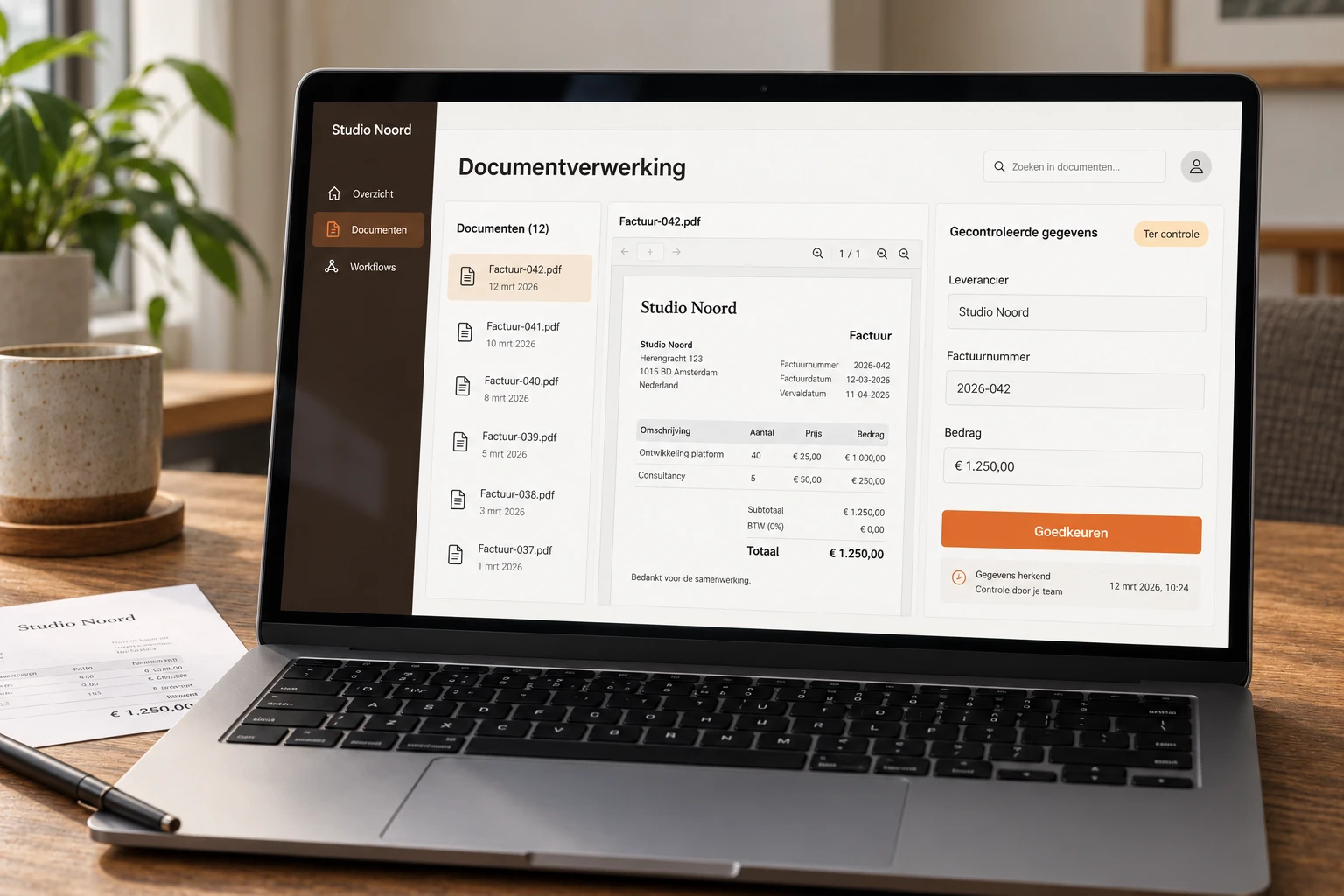
Illustrative example. Your version follows your workflow.
Built around your work
An agent gathers information, prepares the next step and carries it out within the rules you set.
An assistant searches your manuals, quotes and agreements and answers with the source attached.
Anything that affects a client or your records is reviewed by a colleague first.
In practice
AI reads the message, looks up the context in your own systems and prepares a draft or action. Anything outside the agreed rules goes to a person.
Less manual work without giving up control.
We start with your process, not the technology. For serious projects we build a free prototype upfront.
Example workflow
When it makes sense
When people hear AI automation, many think of a chatbot on the website. That is possible, but most of the work is elsewhere: in the inbox that has to be cleared every morning, in the CRM nobody keeps up to date, in the question colleagues ask the same experienced person every week. That is the work AI can take over or prepare.
The difference from regular automation is that AI can handle text that isn't neatly structured in a form. An email written in someone's own words, notes after a phone call, a forty-page manual. AI reads it, extracts what is needed and prepares the next step. Software that only follows fixed rules gets stuck there.
We build this into your existing systems, not as a gadget on the side. On this page you'll read which forms it takes, where to start, what it costs and when you're better off not doing it.
Carrying out tasks
An AI agent does more than answer questions. It gathers information from your inbox, CRM or other systems, decides what the next step is and carries it out: creating a task, updating a client record, preparing a draft reply or alerting a colleague. It can keep going outside office hours, if the process allows it.
We agree together what an agent is allowed to do:
Every step is recorded in an action log. You can always see what the agent did and why, and adjust the rules when something needs to change.
Customer questions
Many customer questions keep coming back: delivery times, opening hours, how something works, what is needed for a request. A digital employee answers them through your website, email or WhatsApp, using your own information and in your tone.
The groundwork is at least as useful. When a request comes in, the digital employee asks follow-up questions until the details are complete. Your colleague gets a file that is ready to pick up, instead of half a message that needs three more emails first. If a question is too complex or sensitive, a colleague takes over the conversation, with everything that has been discussed so far.
You decide which questions it does and doesn't answer. And you see which questions come up most, which often points to something on your website or in your process that could be clearer.
Your own knowledge
A public AI model doesn't know your manuals, pricing agreements or work instructions. A private knowledge assistant does. Employees ask their question in plain language and get an answer based on your documents, with a reference to where it was found. That way they can check the answer instead of having to take it on faith.
This helps most when knowledge is scattered across folders, inboxes and the heads of a few experienced colleagues. New employees find their way faster, and the experienced colleague gets interrupted less often.
Together we choose which sources the assistant may use and who may see what. A document meant only for management doesn't show up in answers for the rest of the team. You can add new documents later. The assistant works in the browser or in an internal tool you already use.
Sales
A CRM is only as good as what's in it, and keeping it up to date often slips in practice. AI can take over much of that work:
That can happen in the CRM you already have, through an integration, or in a custom CRM if your current package doesn't fit the way you sell. Contact with the client stays with your team. AI makes sure nothing slips through the cracks.
First step
Not with the technology, but with the work. Look for tasks that come back often, take a lot of time and follow a recognisable pattern. That's usually where the first candidate is. A task that takes an hour every day and goes roughly the same way each time is a better start than a complex process that happens once a month.
Start small: one process, one team, a first working version that you actually use. Then you see what it delivers and where it falls short, and you build on something that works. The article AI for small businesses: where to start explains how to pick that first candidate.
If it's mainly about invoices, forms or other documents you now retype, also look at AI document processing.
Cost
The discovery session is free. In it, we look at which process is the best fit, what AI can do there and where a person needs to stay involved. A build starts at € 9,500, with a fixed price you receive up front. A first working version is live in four to eight weeks on average.
If you want to keep developing afterwards, with maintenance and monitoring included, that's possible in a partnership from € 3,500 per month. See all pricing.
Control and privacy
AI makes mistakes. Not often when it's set up well, but sometimes, and then with great confidence. That's why we decide from the start where a person reviews the work. Anything that goes to a client, involves money or is hard to undo is checked by a colleague first by default. Only once a step proves reliable can you choose to let go of that check.
For the GDPR, we agree up front which data the AI gets to see, where it's stored and for how long. Your data stays in your environment and isn't used to train models. Personal data that isn't needed for the task stays out. On request, we sign a data processing agreement.
Honest advice
AI isn't always the answer. We advise against it when:
If we reach that conclusion in the discovery session, we'll tell you. Even if it means there's nothing to build.
Using AI for work that is done by hand today and involves text: reading and handling emails, searching documents, summarising call notes or answering customer questions. Unlike regular automation, AI can deal with information that isn't neatly structured in a form.
The discovery session is free. A build starts at € 9,500 with a fixed price up front, and a first working version is live in four to eight weeks on average. Further development with maintenance and monitoring is possible in a partnership from € 3,500 per month.
A chatbot answers a question. An AI agent also carries out tasks in your systems: gathering information, updating a record, creating a task or preparing a draft. We agree together what an agent may do on its own and what needs approval first.
Yes. A private knowledge assistant answers questions based on your manuals, agreements and other documents, with a reference to the source. Together we decide which documents go in and who may see which information.
We agree up front which data the AI gets to see, where it's stored and for how long. Your data stays in your environment and isn't used to train models. On request, we sign a data processing agreement.
Usually not. We build AI into the systems you already use wherever possible, through integrations with your inbox, CRM or document storage. Only if a package really doesn't fit the way you work do we discuss a custom alternative.
Bring a request, a spreadsheet or a process that takes too much time. We'll explore what would help and whether custom software is the right fit.
Book an introduction