 Voortware
Keep the software you use.
We check how your tools share data and choose the appropriate connection.
Integrations and connections
We connect your CRM, accounting and other software. Client details, orders and statuses reach the right place without exports, copy-paste work or replacing your entire system.
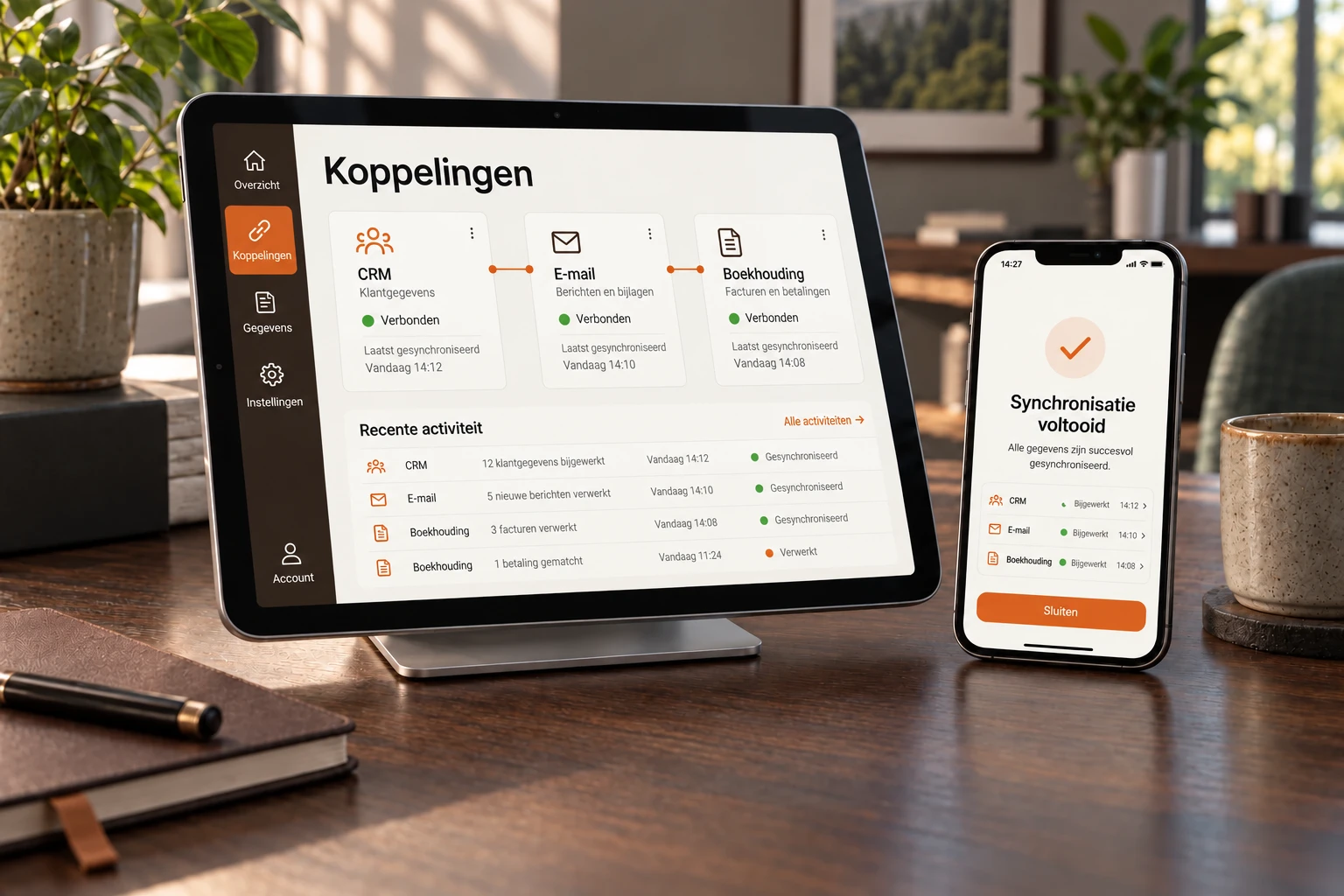
Illustrative example. Your version follows your workflow.
Built around your work
We check how your tools share data and choose the appropriate connection.
We define which source is authoritative and when information needs updating.
Error monitoring surfaces failed transfers so data does not silently get stuck.
In practice
New client data, order statuses or bookings are synchronised without copy-paste or loose exports.
Systems talk to each other without duplicate work.
We start with your process, not the technology. For serious projects we build a free prototype upfront.
Example workflow
When it makes sense
Many SMEs run a handful of packages side by side: a CRM, accounting software, a webshop, a planning tool, a mailbox and a few spreadsheets holding it all together. Each package does its own job well. The problem sits in between: the same client, order or invoice gets entered in three places, and as soon as something changes somewhere, the rest falls behind.
Software integration means that data moves from one system to the other automatically. A new client in your CRM immediately appears as a debtor in your accounting. A paid webshop order shows up in your planning. A settled invoice sets the status in your CRM to paid. Nobody retypes anything, and everyone looks at the same data.
We connect what you already have. You don't need to buy a new package and your team doesn't need to change how it works. Where a standard connector exists that is good enough, we say so. Where it doesn't exist or falls short, we build a custom integration with error monitoring built in.
Most requested
A CRM integration is the one we are asked about most, because the CRM is usually where a client relationship starts. The common combinations:
These are examples, not a fixed list. We are not a reseller or partner of these packages. We check what each package's API allows and choose the integration accordingly. If you use software that isn't listed here, that is rarely a problem.
Honest comparison
Zapier and Make are good tools. If a new form submission needs to land in your CRM, or a message should appear in a team channel when an order comes in, such a tool is faster and cheaper than having something built. Do that, and come back when it no longer suffices.
A custom integration is the better choice when:
Often it's a mix: the simple steps stay in Zapier or Make, and we build the hard part. We discuss that in the discovery.
Cost
A build project starts at € 9,500, with a fixed price agreed up front. That often covers more than one integration. What drives the price: how many systems are involved, how good their APIs are, whether data flows one way or has to stay in sync both ways, and how much logic sits in between.
An integration needs maintenance afterwards, because packages sometimes change their APIs. You can handle that yourself or place it with us in a partnership from € 3,500 per month, which also includes monitoring and further development. The discovery up front is free. See all pricing.
Reliability
Every integration fails at some point. A package is briefly unreachable, a password expires, or someone fills in a field in a way nobody expected. The difference lies in what happens next. The worst case is an integration that stops silently, after which you find out weeks later that orders never came through.
That is why we build in as standard:
Technology
Most modern packages have an API: a fixed entry point through which other software can request and write data. Through webhooks a package can also report straight away that something has changed, so you don't have to wait for a periodic check. That is the route we prefer.
Not everything has a usable API. Older or in-house systems sometimes only offer a database, a CSV export or a folder where files appear. We can integrate with those too: directly on the database where that can be done safely, or by automatically collecting and processing the export files. Your old system doesn't need replacing.
If it's about more than passing data along, and an event should also trigger tasks or notifications, it moves towards workflow automation.
Approach
A build project starts at € 9,500 with a fixed price up front, and it often covers more than one integration. The price depends on the number of systems, the quality of their APIs, whether data flows one way or both ways and how much logic sits in between. The discovery is free.
Almost always, but not always equally easily. Packages with a good API, like most CRM, accounting and webshop software, are the simplest. We connect older systems without an API through the database or export files. In the discovery we check what your packages allow.
An API is a fixed entry point of a software package through which other software can request or write data. An API integration uses that entry point to exchange data between two systems automatically, for example client details from your CRM to your accounting software.
For simple steps with low volume, Zapier and Make are fine and we will recommend them. A custom integration pays off when there is logic involved, when volume drives up per-task costs, when a package isn't well supported there, or when you need to know exactly what happens on an error.
We log every transfer, retry automatically on temporary outages and send an alert when an error doesn't resolve itself. Anything that got stuck appears in an overview, so it can be resent in one go once the cause is fixed.
Then the integration needs updating. Packages usually announce such changes well in advance. You can handle that maintenance yourself with the documentation you receive at delivery, or place it with us in a partnership that includes monitoring and maintenance.
Bring a request, a spreadsheet or a process that takes too much time. We'll explore what would help and whether custom software is the right fit.
Book an introduction